

Product / Sign-in
Everyone in once, and only the right way.
Single sign-on for every app, with passkeys and a second factor, stricter only when the moment is.
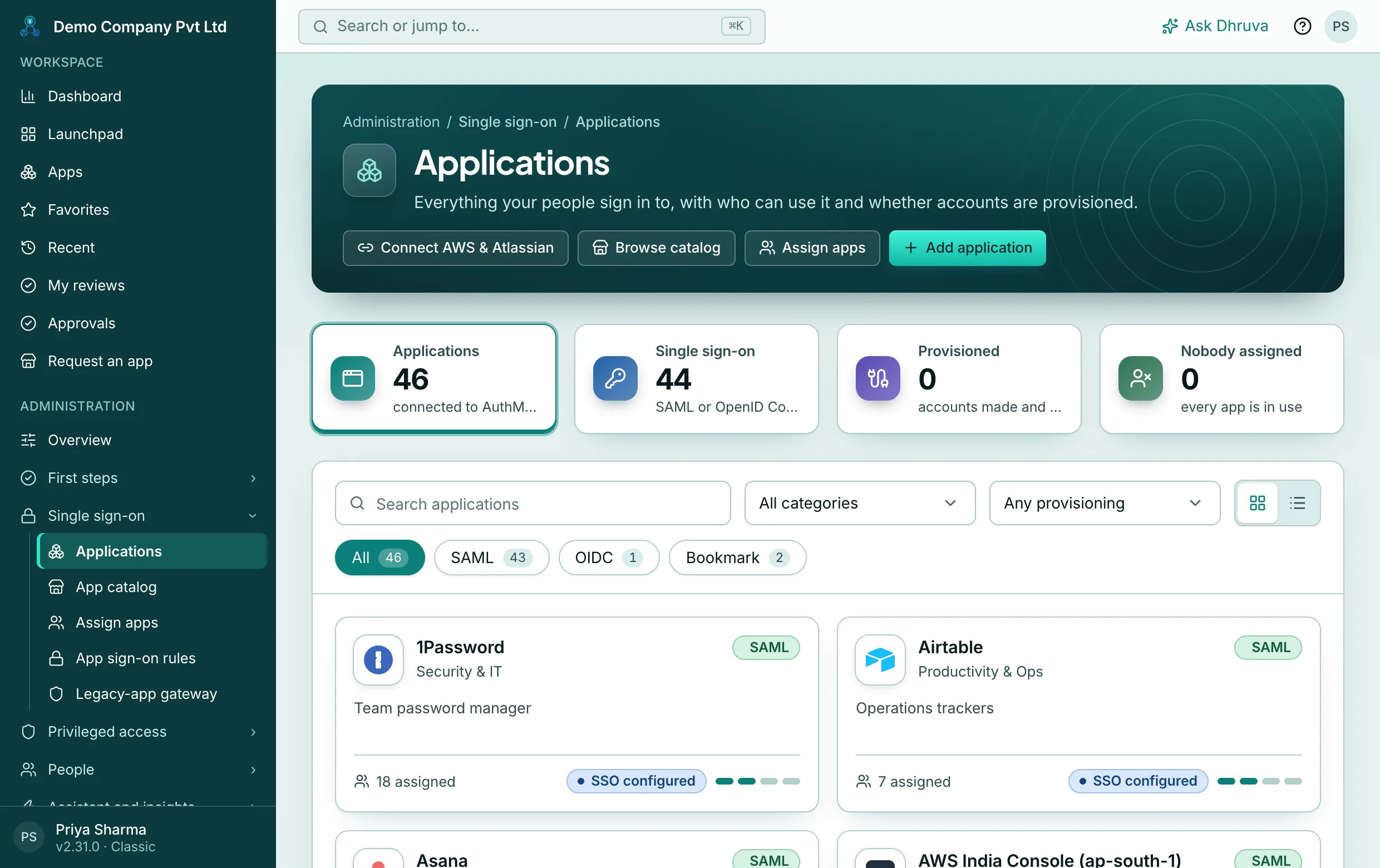
Filter by protocolSAML, OpenID Connect or a plain bookmark.
Add an appPick it from the catalogue or follow guided setup.
Connection stateAuthMantra checks each app's setup and tells you when it needs attention.
Who has itSee how many people have each app, and open it to change that.
The problem
Too many passwords, and too many ways in.
People sign in to a dozen apps with a dozen passwords, and a phished one is a full compromise. Locking everything down slows everyone; leaving it open invites the attack.
Rahul Iyer is signing in to Payroll from Bengaluru.
Tap the number you see on screen
In four steps
How it works.
- 1
Connect an app
Pick it from the catalogue or follow guided setup. SAML 2.0, OpenID Connect with PKCE and WS-Federation are supported.
- 2
Choose how people prove it
Passkeys on phones, laptops or security keys, authenticator codes, or a push approval with number matching. Set it by role.
- 3
Add rules where it matters
Risk-based decisions, a fresh check before a sensitive admin action, and managed-device checks for sensitive apps.
- 4
Watch it work
Every sign-in and every decision is written to the audit log, and can be streamed to your SIEM.
Capabilities
What is included.
13 capabilities. Each links to its details.
- Single sign-onFrom Launch
One sign-in for SAML 2.0 apps and OpenID Connect apps with PKCE.
SAML 2.0 applicationsOpenID Connect with PKCEOne session, many apps - Passkeys and MFAFrom Launch
Phishing-resistant passkeys on phones or security keys, plus authenticator-app codes.
Platform passkeys and security keysAuthenticator-app codes by QRRecovery if a device is lost - Push sign-in approvalFrom Launch
Approve a sign-in on the AuthMantra app by matching a number.
Number matching on the phoneEvery answer signed by the phone's keyA wrong number stops the sign-in - Hardware security keysFrom Launch
Require FIDO2 security keys or chip-held keys, not synced passkeys, where it matters.
Security keys and TPM keys recognisedApps can require a hardware keyAdmins can be required to use one - Passkey policyFrom Launch
Allow only approved passkey models, or make accounts passkey-only with no password.
Approved models by AAGUIDModel proved by a vendor-signed attestationPasskey-only accounts have no password - Adaptive sign-inFrom Adapt
Risk-based sign-in decisions that ask for more only when it matters.
Decisions weigh sign-in riskAsk for more only when neededEvery decision is logged - Step-upFrom Flow
Ask for a fresh check before a sensitive action goes ahead.
Fresh check for sensitive actionsWorks for admin changesOutcome is written to the log - Device trustFrom Adapt
Open sensitive apps only on managed computers, proven by a tamper-resistant agent.
Managed installer; key kept in the TPMEncryption, firewall, screen lock, OS versionCopied keys remove the computer at once - Workspace-isolated sign-inFrom Launch
Each workspace signs SAML and WS-Federation with its own issuer and key.
Own metadata, sign-in address and certificateAn app trusts one workspace, never allOlder apps keep the shared issuer until moved - WS-FederationFrom Launch
Sign in to Microsoft 365 and .NET apps with a signed SAML 1.1 token.
Federation metadata includedImmutableID for people from Active DirectorySign-out returns only to a registered address - Sign in with your own providerFrom Launch
Entra ID, Okta, Google Workspace or any OpenID Connect provider, for your verified domains.
Providers start as drafts, then ActivateOptional accounts on first sign-inOption to trust the provider's MFA - LDAP and RADIUSFrom Access
Sign in older systems, VPNs and Wi-Fi with the same policies.
Cloud LDAP directoryRADIUS for VPN and Wi-FiServed from their own network endpoints - Legacy-app gatewayComing soon
Put sign-in in front of web apps without SAML or OpenID Connect.
Identity passed as signed headersAssignment checked on every requestCut off within seconds
Outcomes
What changes.
Built on open standards.
- SAML 2.0
- OpenID Connect
- WS-Federation
- WebAuthn / FIDO2
- LDAP
- RADIUS
FAQ
Questions.
Can we keep our current identity provider?+
Yes. Entra ID, Okta, Google Workspace or any OpenID Connect provider can sign people in for your verified domains, and AuthMantra still applies its own policies.
Which second factors are supported?+
Passkeys (platform and security keys), authenticator-app codes by QR, and push approval on the AuthMantra app. SMS is available; the SMS provider integration is still planned.
What about older systems?+
A cloud LDAP directory and RADIUS cover VPNs, Wi-Fi and older systems. A gateway for web apps without SAML or OpenID Connect is coming soon.
Start your way.
Three ways in. None needs a sales call.
Start free trial
Free for up to 10 people, no card. A workspace in about five minutes.
Create a workspaceTry the live sandbox
Click through the real admin console with example people. Nothing to sign up for.
Open the sandboxTalk to us
A walkthrough on your own apps, or a call with the team in Bengaluru.
Book a demoIdentity your auditor will trust and your team will not notice.
Free for up to 10 people. Plans from ₹99 per person per month, GST extra.